

Best overall for asset custody: Snipe-IT. For mid-sized companies choosing the best IT asset management software in 2026, Lansweeper is the pick for discovery, Freshservice for service-desk workflows, GLPI for self-hosted service management, and ServiceNow IT Asset Management for an existing ServiceNow environment.
- Snipe-IT is the best IT asset management software shortlist starting point when equipment ownership and handoffs are your priority.
- Choose Lansweeper when IT asset inventory starts with discovering devices rather than assigning equipment.
- Choose Freshservice when asset management needs to work alongside employee requests and service-desk tickets.
- IT Core provides technology leadership and IT delivery, not an asset management software product.
Why this matters
An inventory tells you what you have. Asset management adds responsibility: who owns each record, who holds each device, and what happens when equipment changes hands. Buying software before answering those questions leaves the underlying process unresolved.
IT Core supports growing businesses with senior technology leadership and IT delivery that strengthens internal teams. IT Core is best for businesses that need technology leadership alongside an internal IT team, rather than another software product.
For your 2026 selection, start with the decision you cannot make reliably today. That might be identifying unused equipment, finding unmanaged devices, connecting incidents to assets, or confirming that departing employees returned company property. Each problem points toward a different tool.
What makes the best IT asset management software
Use these criteria before comparing features. A longer feature list does not settle whether a product fits your operating model.
- Inventory coverage: Separate assets discovered on a network from equipment entered manually. Neither approach alone answers every inventory question.
- Custody records: Check whether your team can record assignments, transfers, returns, and retirement without keeping a second spreadsheet.
- Workflow fit: Decide whether asset records need to live beside tickets, employee requests, purchasing decisions, or a separate register.
- Ownership: Name the person responsible for data quality, permissions, imports, updates, and exceptions.
- Deployment requirements: Match hosted or self-hosted operation to the administration your team can actually support.
- Evidence quality: Require a demonstration using your asset records and business scenarios, not just a vendor's prepared dashboard.
Choose the system that supports your hardest recurring decision, not the one with the most attractive demonstration. Ask vendors to show the entire process, including mistakes, missing information, and reassigned equipment.
The shortlist at a glance
These recommendations separate custody, discovery, and service management. They are different jobs, even when vendors put them under the same asset management label.
| Software | Best for | Standout capability | Key limitation |
|---|---|---|---|
| Snipe-IT | Equipment custody | Asset assignment and check-in/check-out records | Not a network discovery platform |
| Lansweeper | Discovering the IT estate | Automated discovery and inventory | Discovery does not replace custody procedures |
| Freshservice | Service-desk-led asset management | Asset records alongside IT service management | Requires agreement on ticket and asset workflows |
| GLPI | Self-hosted inventory and support | Asset inventory and help-desk functions | Self-hosting requires an administrator |
| ServiceNow IT Asset Management | Existing ServiceNow environments | Asset lifecycle management within the platform | Requires defined scope and platform administration |
1. Snipe-IT: Best for equipment custody
Snipe-IT is an open-source asset management application focused on keeping track of equipment and its assignment. Its check-in and check-out model suits a company that needs a dependable record of laptops, accessories, and other assets moving between employees.
Best for: Mid-sized companies whose immediate problem is knowing who has what. Snipe-IT belongs first on that shortlist because custody is a clear, bounded job; it should not be selected as a substitute for discovering everything connected to your network.
Snipe-IT pros
- Asset assignments give your team a place to record responsibility for equipment.
- Check-in and check-out records support employee handoffs and returns.
- Asset tags help connect physical equipment to inventory records.
- Self-hosted deployment is available for teams that want to administer the application themselves.
Snipe-IT cons
- It is not a replacement for automated network discovery.
- Your team still needs procedures for recording acquisitions, transfers, and disposals.
- Self-hosting adds maintenance responsibilities to the inventory process.
Before committing, demonstrate an employee departure. Find the assigned laptop, record its return, change its status, and assign it to someone else. Then ask a person outside the IT team to follow the history without an explanation.
Verdict: Buy for custody-first asset management; skip as your sole discovery tool.
2. Lansweeper: Best for discovering your IT estate
Lansweeper discovers and inventories IT assets. That makes it a different starting point from a custody register: the first question is what exists in the environment, not which employee signed for a laptop.
Best for: Companies that cannot confidently identify their connected devices and need an inventory foundation before making support or lifecycle decisions. For a 2026 assessment, distinguish successful discovery from complete business ownership data.
Lansweeper pros
- Automated discovery reduces dependence on manually entered device lists.
- Hardware and software inventory supports investigation of the IT estate.
- A central inventory gives support teams a common reference for discovered assets.
Lansweeper cons
- Discovery requires appropriate access and configuration in the environment.
- A discovered device does not automatically have a reliable owner, business purpose, or retirement decision.
- Off-network and disconnected equipment need an explicit coverage plan.
Ask the vendor to demonstrate your actual network conditions. Include a remote laptop, a network device, and an asset that is powered off. Record what the system identifies, what needs another collection method, and what remains a manual responsibility.
Do not treat an impressive device count as acceptance. Your inventory needs useful records and a documented explanation for gaps.
Verdict: Buy when discovery is the primary gap; hold if employee handoffs are the only problem.
3. Freshservice: Best for service-desk asset workflows
Freshservice combines IT service management with asset management capabilities. It belongs on your shortlist when equipment records need to support the same team's requests, incidents, and employee support work.
Best for: Internal IT teams that want asset information within their service-desk operating model. The business case is the connection between work and equipment, not simply replacing a spreadsheet with a richer database.
Freshservice pros
- Asset information can sit alongside service-desk work.
- Request and incident workflows give asset records an operational context.
- A shared system can reduce the need to reconcile separate ticket and inventory processes.
Freshservice cons
- Poorly defined workflows remain poorly defined after moving into a new platform.
- Asset management requires its own data ownership, even inside a service desk.
- Discovery methods and required integrations need validation against your environment.
Demonstrate a replacement request from start to finish. Identify the employee's current device, connect the request to that asset, record the replacement, and confirm what happens to the old equipment.
If your existing service desk already works well, require a specific reason to change it. Asset management alone does not justify rebuilding every support process.
Verdict: Buy when service-desk integration is central; hold when you only need a custody register.
4. GLPI: Best for self-hosted inventory and support
GLPI is an open-source IT management application with inventory and help-desk functions. It suits teams that want those functions together and have someone responsible for operating a self-hosted application.
Best for: Mid-sized companies with internal administration capability and a clear preference for self-hosted service management. Your decision should reflect that operating responsibility, not just the appeal of controlling the application.
GLPI pros
- Inventory and support functions share an application.
- Self-hosting gives your team responsibility for the deployment environment.
- Asset records can support help-desk work rather than sitting in an isolated register.
GLPI cons
- Self-hosting requires updates, backups, access management, and recovery planning.
- Inventory collection needs configuration; installing the application is not the same as establishing coverage.
- Extensions and customizations add administration responsibilities.
Before selecting GLPI, name an administrator and a backup owner. Ask both to review how updates, imports, permissions, and recovery will work. A system that only one employee understands creates an avoidable dependency.
For your 2026 shortlist, assess application administration as part of the purchase decision. It is part of the operating model, not a task to assign after launch.
Verdict: Buy when self-hosting is deliberate and supported; skip when no one owns application maintenance.
5. ServiceNow IT Asset Management: Best for existing platform users
ServiceNow IT Asset Management supports asset lifecycle management within the ServiceNow platform. It belongs on the shortlist when your company already uses that environment and needs asset decisions connected to established platform processes.
Best for: Mid-sized companies with an existing ServiceNow operating model and defined asset management requirements. Company size alone is not a reason to choose it.
ServiceNow IT Asset Management pros
- Asset lifecycle work can connect with processes in the same platform.
- Hardware and software asset management address distinct management needs.
- Existing platform governance can provide a foundation for asset workflows.
ServiceNow IT Asset Management cons
- Implementation needs a defined scope and responsible platform owners.
- Asset management and configuration management are related but different disciplines.
- Starting a platform program solely to create a basic equipment register adds work beyond that register.
Require a demonstration of the particular asset management functions under consideration. Do not accept a configuration database demonstration as proof that assignments, lifecycle decisions, and software entitlements meet your requirements.
Verdict: Buy when it fits an established ServiceNow program; hold when the underlying need is a simple inventory.
How to validate your shortlist
Use a 30-day pilot as a planning recommendation, not as a vendor delivery promise. Start with a recommended sample of 100 asset records, including incomplete records and equipment that has changed hands. Test 5 workflows: acquisition, assignment, transfer, return, and retirement.
The sample is a starting point, not proof of full-environment coverage. Add examples from every device category and operating condition that matters to your business.
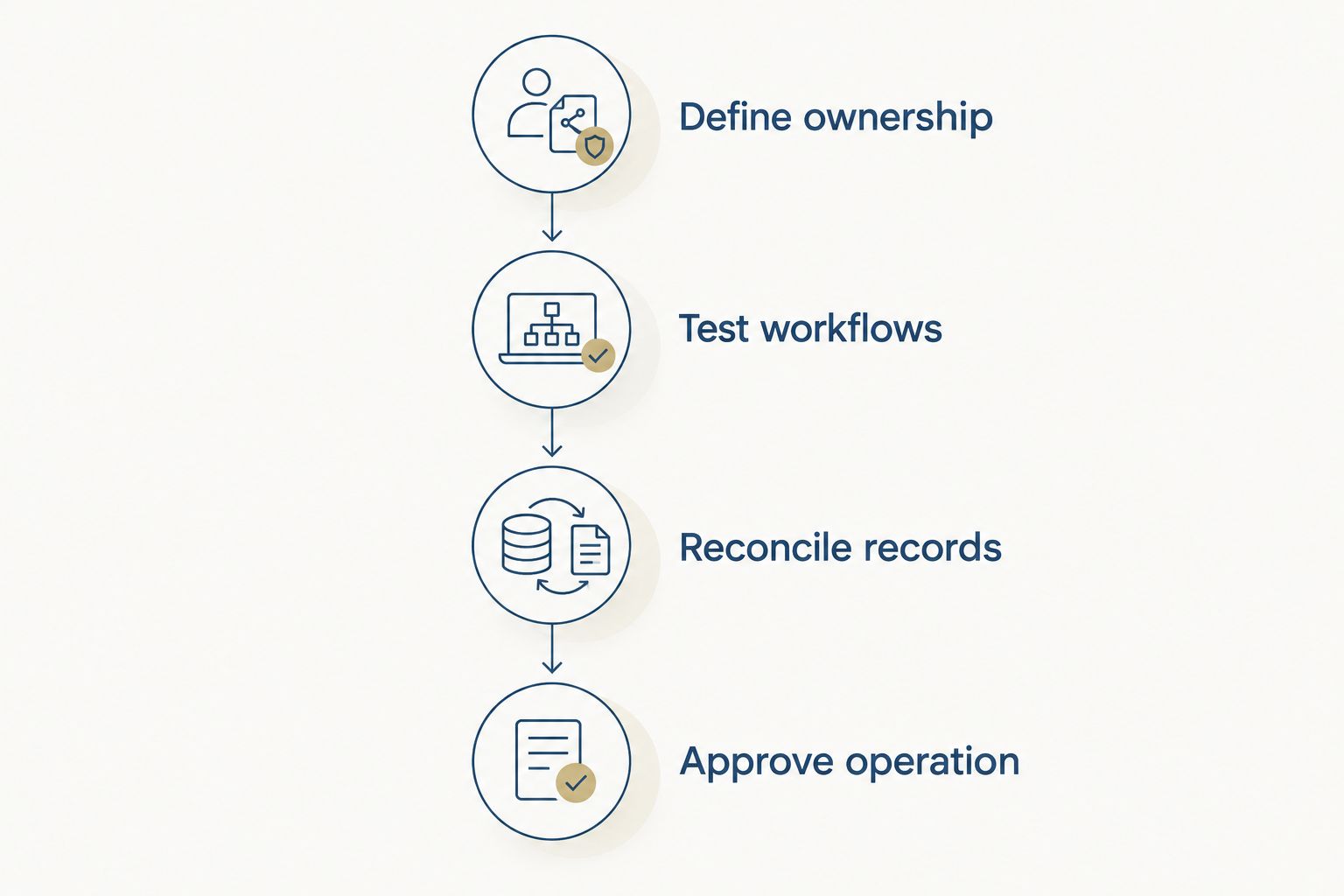
Define ownership
Name a business sponsor, an inventory owner, and the person responsible for application administration. One person can fill several roles, but every responsibility needs an explicit owner.
Test workflows
Run your actual handoffs, including exceptions. Check what happens when a serial number is missing, an employee leaves without returning equipment, or a discovered device has no assigned owner.
Reconcile records
Compare the pilot inventory with your existing records and physical equipment. Investigate differences instead of importing them unquestioned into the new system.
Approve operation
Document who maintains records, handles access, updates the application, and checks unresolved exceptions. Select the tool only after those responsibilities are workable.
Keep your 2026 acceptance criteria specific: an asset has an accountable owner, its history is understandable, and the team knows how to resolve missing information. A dashboard is not a substitute for those checks.
IT Core's role is senior technology leadership and IT delivery alongside your internal team. The software remains a separate decision, with its own administration and process requirements.
How the ranking works
This 2026 ranking assigns each product a distinct operating role rather than treating every asset management requirement as interchangeable. Snipe-IT leads for custody; Lansweeper leads for discovery; Freshservice fits service-desk workflows; GLPI fits self-hosted inventory and support; ServiceNow fits an established platform environment.
The order reflects those use cases and the selection criteria above. It is not a claim of hands-on benchmark testing, measured performance, or guaranteed business results. Validate current capabilities against your own requirements before signing an agreement.
Which software should you choose?
Start with Snipe-IT if your main question is who has each piece of equipment. Choose Lansweeper when you first need to establish what is in the environment. Put Freshservice on the shortlist when asset information must support service-desk work.
Choose GLPI when self-hosting is a supported operating decision. Choose ServiceNow IT Asset Management when asset lifecycle management belongs within your existing platform program.
If you cannot name the primary problem, pause the software selection. Write the decision you need to make, identify the record that supports it, and assign an owner. That gives you a purchasing requirement instead of a collection of feature requests.
FAQ
What's the best IT asset management software for a mid-sized company?
Snipe-IT is the shortlist starting point when equipment custody is your main requirement. Lansweeper fits discovery, Freshservice fits service-desk workflows, GLPI fits self-hosted inventory and support, and ServiceNow IT Asset Management fits an existing ServiceNow environment.
Is Snipe-IT better than Lansweeper?
Snipe-IT is the better fit for equipment assignment and handoffs; Lansweeper is the better fit for discovering and inventorying the IT estate. Choose according to the missing process, not a general feature-count comparison.
Can asset management software replace our spreadsheet?
Asset management software can replace a spreadsheet as your primary asset register. You still need rules for entering acquisitions, recording transfers, confirming returns, and retiring equipment.
Do we need discovery as well as asset tracking?
You need discovery when manually maintained records do not adequately identify your connected IT estate. You still need custody procedures for assignments and returns, because discovering a device does not establish who is responsible for it.
Should we choose hosted or self-hosted asset management?
Choose self-hosting only when your team accepts responsibility for administration, updates, backups, and recovery. For hosted software, confirm the division of responsibilities and your access to asset data before selecting a vendor.
How should we test an asset management tool before choosing it?
Run a pilot with real records and complete acquisition, assignment, transfer, return, and retirement workflows. Include missing information and reassigned equipment so the demonstration tests exception handling, not just clean records.
Does IT Core sell asset management software?
IT Core provides IT consulting, senior technology leadership, and IT delivery rather than an asset management software product. Its services strengthen internal teams across software development, co-managed IT, security, and cloud.
One last thing
Before approving a tool, ask someone to identify a returned laptop that is ready for reassignment. Require the record to show its previous holder, return status, and current responsibility.
That small decision tests more than an inventory total. If the team cannot answer it reliably, fix the handoff process before expanding the software rollout.