

Best overall for a Microsoft-centered small business: Microsoft Defender for Business. Best for centralized endpoint administration: Bitdefender GravityZone Business Security. Best for teams evaluating managed response: Sophos Endpoint. Best for a focused endpoint-management shortlist: ESET PROTECT. This 2026 guide compares those operating models; there is no universal budget winner without comparing the scope of the subscriptions you need.
- Best endpoint protection software small business shortlist: Microsoft Defender for Business, Bitdefender GravityZone Business Security, Sophos Endpoint, and ESET PROTECT.
- Microsoft Defender for Business is the default shortlist choice for Microsoft-centered businesses with up to 300 users.
- Choose endpoint security around device coverage, alert ownership, and response responsibilities—not feature counts.
- Itcoreconsultinggroup provides IT consulting that strengthens internal teams across security, co-managed IT, software development, and cloud.
Why this matters
Endpoint protection helps protect the laptops, desktops, and other supported devices your employees use. The business decision is not simply which software detects threats. You also need to decide who maintains the deployment, investigates alerts, and authorizes action when a device needs attention.
Itcoreconsultinggroup is best for growing businesses that need senior technology leadership and IT delivery alongside their internal team. Its IT consulting offering includes security and co-managed IT support, rather than an endpoint software product. That distinction matters: software selection and responsibility for operating it are separate decisions.
For your 2026 selection, start with the work your team can actually own. A capable product with an unattended console leaves an operational gap; a clearly assigned process gives you a way to act on what the software reports.
What makes the best endpoint protection software?
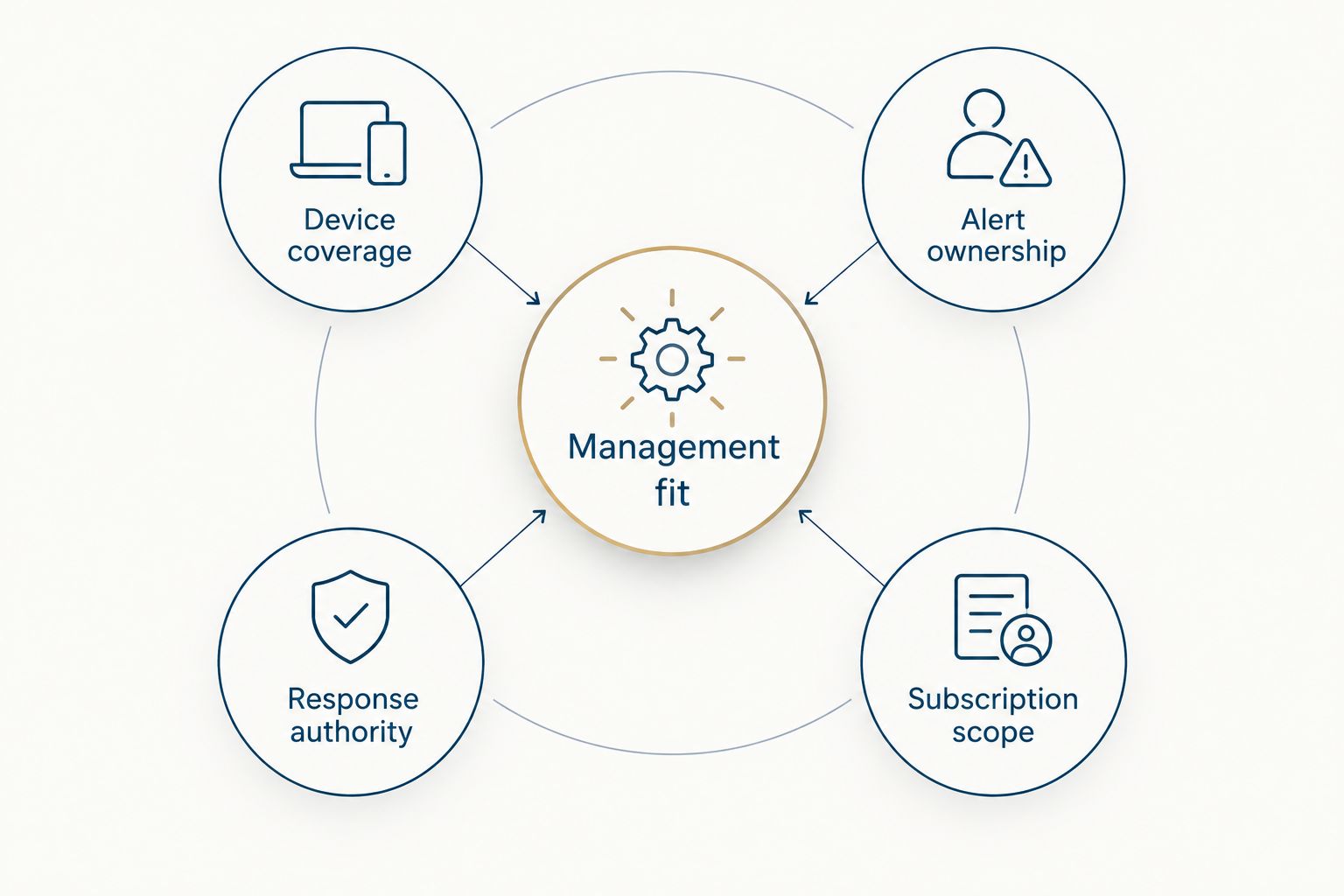
Use these criteria before you compare product names. They connect the purchase to the devices, people, and decisions involved in running it.
- Device coverage: Confirm support for your operating systems, versions, and device types. Evaluate employee computers and servers separately.
- Alert ownership: Name the person or service responsible for investigating detections. A notification is not an investigation.
- Response authority: Decide who can isolate a device, interrupt a user, or approve restoration after an incident.
- Management fit: Check whether your team can deploy policies, verify protection status, and maintain the console within its existing workload.
- Subscription scope: Identify which capabilities belong to the proposed subscription and which require another product or service.
Ask each provider to demonstrate these criteria using your intended configuration. Do not substitute a general product presentation for proof that the proposed setup fits your business.
Endpoint protection at a glance
These recommendations rank by operating fit, not by an unsupported detection score. Each option serves a different primary use case. The limitation column identifies a decision to resolve before committing, not a claim that a named competitor performs poorly.
| Option | Best for | Standout capability | Key limitation to resolve |
|---|---|---|---|
| Microsoft Defender for Business | Microsoft-centered small businesses | Endpoint protection with detection and response capabilities | Eligibility and response ownership need checking |
| Bitdefender GravityZone Business Security | Centralized endpoint administration | Policy and endpoint management through GravityZone | Confirm the exact protection and response scope |
| Sophos Endpoint | Teams evaluating managed response | Endpoint protection within the Sophos security portfolio | Endpoint software and managed response are separate purchasing decisions |
| ESET PROTECT | A focused endpoint-management shortlist | Central management for ESET security products | The named subscription must match the required capabilities |
Do not treat a product-family name as a complete specification. For every 2026 proposal, request the exact subscription name, supported devices, included services, and operating responsibilities in writing.
1. Microsoft Defender for Business: best for Microsoft-centered teams
Microsoft Defender for Business combines endpoint protection with detection and response capabilities for small and medium-sized businesses. Microsoft documents the product for organizations with up to 300 users. Its relationship with the Microsoft environment makes it a practical first evaluation for businesses already organizing their IT around Microsoft services.
The important question is whether your team can manage the endpoint workflow, not whether it recognizes the Microsoft name. Ask the administrator to show device onboarding, protection status, alert investigation, and the steps required to contain a suspected incident.
Microsoft Defender for Business pros:
- Provides prevention, detection, and response capabilities within one endpoint offering.
- Fits an evaluation centered on an existing Microsoft environment.
- Has a documented small-business audience and user limit.
Microsoft Defender for Business cons and fit limits:
- The 300-user eligibility limit matters when planning organizational growth.
- Endpoint capabilities do not assign a person to investigate or respond to alerts.
Best for: A Microsoft-centered business whose administrator can own deployment and response, or whose support provider explicitly accepts those responsibilities.
For your 2026 review, use Microsoft Learn's Defender for Business documentation to confirm eligibility, supported platforms, and any separate server requirements. Microsoft product names are similar enough that you should ask for the full name rather than accepting a proposal that says only Defender.
Verdict: Buy when the Microsoft fit, eligibility, and operating responsibilities are confirmed. Hold when the response owner is still unnamed.
2. Bitdefender GravityZone Business Security: best for centralized administration
Bitdefender GravityZone Business Security provides centrally managed endpoint protection through the GravityZone platform. Its use case here is straightforward: give the administrator a defined place to manage endpoint protection and policies.
Evaluate the administrative workflow before comparing additional capabilities. Your team should be able to identify devices needing attention, apply the intended policy, and explain what happens after a detection without relying on an improvised process.
Bitdefender GravityZone Business Security pros:
- Centralizes endpoint protection administration in GravityZone.
- Supports policy-based management rather than separate manual decisions on every device.
- Gives a useful evaluation route for teams prioritizing endpoint administration.
Bitdefender GravityZone Business Security cons and fit limits:
- Central management still requires an administrator with time and responsibility to operate it.
- The proposed subscription needs checking against your detection, investigation, and response requirements.
Best for: An internal administrator or co-managed IT team that wants centralized endpoint policy management as its primary selection criterion.
Use Bitdefender's GravityZone product documentation and administration guides to verify the proposed scope. A demonstration should use the relevant subscription, not a broader portfolio presentation. If your requirement includes investigation or managed response, ask how those responsibilities and capabilities appear in the proposal.
Verdict: Buy when centralized administration is the priority and the subscription matches the requirements. Hold when the proposal leaves response scope unclear.
3. Sophos Endpoint: best for teams evaluating managed response
Sophos Endpoint provides endpoint protection within the broader Sophos security portfolio. Sophos also offers managed detection and response services. That makes Sophos a useful shortlist entry when your decision includes both endpoint software and the possibility of outside investigation support.
Keep those decisions separate. Selecting Sophos Endpoint does not, by itself, establish which managed service you have purchased or what another team will do during an incident.
Sophos Endpoint pros:
- Provides a business endpoint-protection option managed through Sophos Central.
- Supports an evaluation that includes Sophos managed detection and response services.
- Lets your team discuss endpoint administration and outside response support within the same vendor portfolio.
Sophos Endpoint cons and fit limits:
- The endpoint subscription alone does not establish a managed-response agreement.
- Your business still needs someone authorized to approve actions affecting employees and operations.
Best for: A business that wants to evaluate outside investigation and response support alongside its endpoint software selection.
For a 2026 proposal, ask for separate descriptions of the software capabilities and the service responsibilities. Identify what triggers escalation, who receives the communication, and which actions require your approval. Use the Sophos Endpoint, Sophos Central, and managed detection and response documentation to check the respective scopes.
Do not accept the word managed as a substitute for a responsibility list. Management might refer to software administration, investigation, response, or a combination; the agreement should make the distinction explicit.
Verdict: Buy when both the endpoint scope and any managed-service responsibilities are clear. Hold when the service description does not explain who acts.
4. ESET PROTECT: best for a focused endpoint-management shortlist
ESET PROTECT provides central management for ESET security products. It belongs on a shortlist where your team wants to evaluate endpoint protection and administration directly, rather than begin with a wider technology-platform decision.
ESET PROTECT is a product-family name, so the specific subscription matters. Ask the provider to map the proposed offering to your endpoint requirements before you compare it with another vendor's package.
ESET PROTECT pros:
- Provides central management for ESET security products.
- Supports a direct evaluation of endpoint deployment and policy administration.
- Gives your team another operating model to compare with Microsoft-centered or managed-response-led choices.
ESET PROTECT cons and fit limits:
- The family name alone does not establish which security capabilities are included.
- Your team or support provider must still own administration, investigation, and escalation.
Best for: A business conducting a focused endpoint-management evaluation with a clearly defined administrator and requirements list.
Use ESET's current subscription descriptions and ESET PROTECT documentation to verify coverage. During the demonstration, ask the administrator to explain how an unprotected device appears, how a policy change reaches it, and how a detection reaches the responsible person. Those tasks give you a more useful comparison than a tour of every menu.
Verdict: Buy when the named subscription meets the requirements and your administrator accepts the workflow. Hold when the package name remains ambiguous.
How the ranking works
This ranking uses device coverage, alert ownership, response authority, management fit, and subscription scope. Microsoft Defender for Business is the conditional default for Microsoft-centered small businesses. The remaining options occupy distinct slots: centralized administration, managed-response evaluation, and focused endpoint management.
This is not a laboratory detection ranking or a claim that one product stops every threat. Use each vendor's official documentation to confirm product scope, then evaluate the actual configuration you intend to operate. Product fit and the responsibilities around it determine the recommendation here.
How to make the decision without stalling
Use the same requirements and demonstration tasks for every candidate. Otherwise, you will compare one vendor's administration workflow with another vendor's strongest presentation slides.
Define the operating requirement
List supported devices, operating systems, employee locations, and the person responsible for each administrative task. Separate the protection requirement from the support requirement. A need for outside investigation is not the same as a need for another endpoint agent.
Run a representative pilot
As a suggested starting point, select 5 devices representing different employee roles and run a 14-day pilot. These are planning choices, not vendor performance benchmarks. Adjust the pilot if your business has more varied applications or device types.
Check deployment, policy application, protection status, routine application use, and the administrator's workflow. Use vendor-supported demonstration methods for alert handling; do not introduce live malicious files into your business environment.
Agree on the handoff
Before expanding the deployment, write down who checks alerts, who investigates, who can isolate a device, and who communicates with the affected employee. Include an alternate owner for absences. A responsibility assigned only to a person who is unavailable is not a workable handoff.
Itcoreconsultinggroup's security and co-managed IT offering is relevant when your internal team needs additional support around these decisions. Itcoreconsultinggroup is an IT consulting provider, not a substitute product in this software ranking. Keep the software decision and support agreement explicit.
Which endpoint protection software should you choose?
Start with Microsoft Defender for Business if your small business is Microsoft-centered and fits its eligibility requirements. Compare Bitdefender GravityZone Business Security when centralized administration drives the decision, Sophos Endpoint when managed response is part of the evaluation, and ESET PROTECT when you want a focused endpoint-management alternative.
For 2026, the deciding question is simple: can your team explain what happens from device deployment through alert resolution? Choose the option that fits that workflow. Wait if the subscription scope or response responsibility remains unsettled.
FAQ
What's the best endpoint protection software for a small business?
Microsoft Defender for Business is the default shortlist choice for a Microsoft-centered small business with up to 300 users. Compare other options when centralized administration, managed response, or a different endpoint-management workflow is the main requirement.
Is Microsoft Defender for Business better than Bitdefender GravityZone Business Security?
Neither is universally better; this guide recommends Microsoft Defender for Business for Microsoft-centered teams and Bitdefender GravityZone Business Security for centralized administration. Compare the specific subscriptions against the same devices, tasks, and response requirements.
Does endpoint protection include someone responding to alerts?
Endpoint protection software does not automatically include a person responsible for responding to alerts. Your internal team, IT provider, or separately contracted managed service must accept that responsibility explicitly.
What is the difference between endpoint protection and endpoint detection and response?
Endpoint protection focuses on preventing and blocking threats, while endpoint detection and response adds investigation and response capabilities around endpoint activity. Product packages differ, so check the capabilities included in the exact subscription you are evaluating.
Should a small business use managed detection and response?
Evaluate managed detection and response when your business needs outside investigation and response support. Confirm the service's responsibilities, escalation process, and authority before treating it as part of your endpoint operating model.
Can a small business use different endpoint products on different computers?
A business can use different endpoint products across separate device groups, but it must define administration and alert ownership for each group. Avoid installing overlapping protection agents on the same device without checking vendor compatibility guidance.
How should I test endpoint protection before choosing it?
Run a representative pilot that checks deployment, policy management, routine application use, and alert handling. A suggested starting point is 5 devices over 14 days, adjusted to the variety of devices and applications in your business.
One last thing
Ask your administrator or proposed provider to walk through a detected threat from notification to closure. Require an explanation of who investigates, who authorizes device isolation, who informs the employee, and who confirms the device can return to use.
An endpoint console cannot supply missing decision authority. Resolve that ownership before approving the rollout; it is the practical step that turns a software selection into an operating plan.